Step 1 — Start your 14-day free trial. Card required, cancel anytime before it ends. See plans →
FlowForge turns the jobs you repeat — leads, inbox triage, client handoffs, reports, and AI research — into private workflows that run on your Mac. No cloud middleman. No per-task tax.
Free 14-day trial · macOS 12+ · Windows 10+ · See real workflows
14-day free trial · card required · cancel anytime · then from $8/mo · macOS 12+
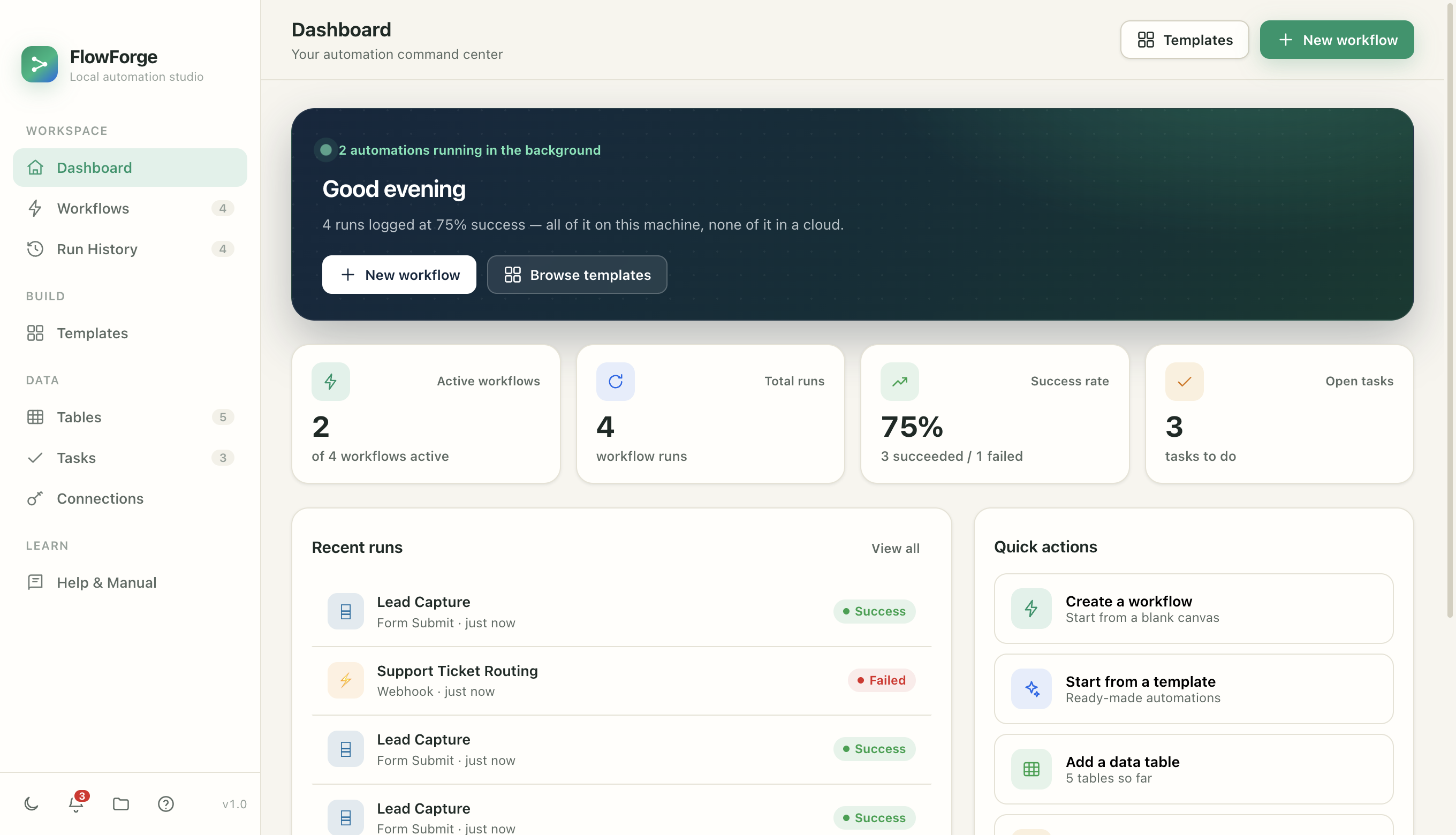
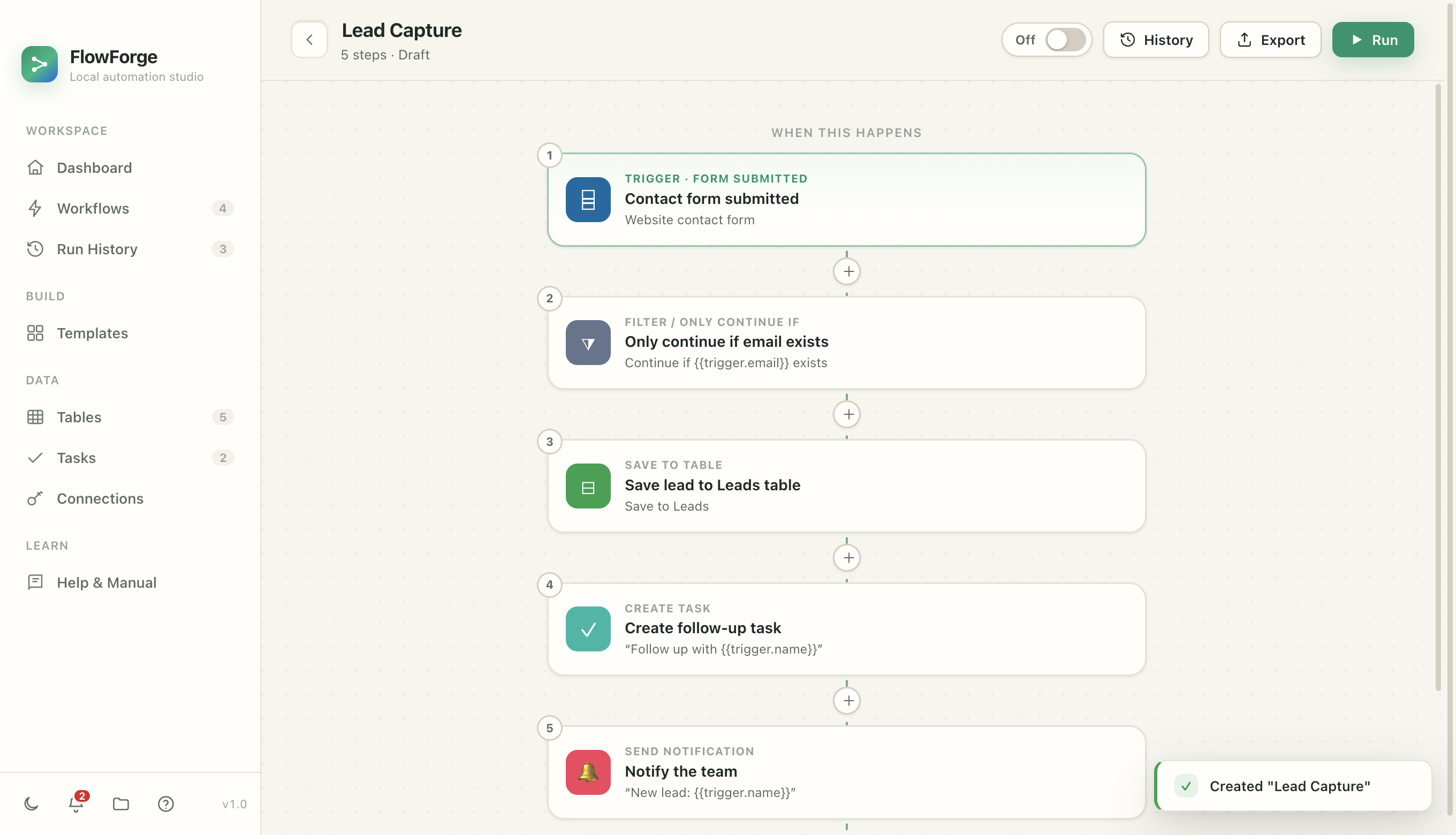
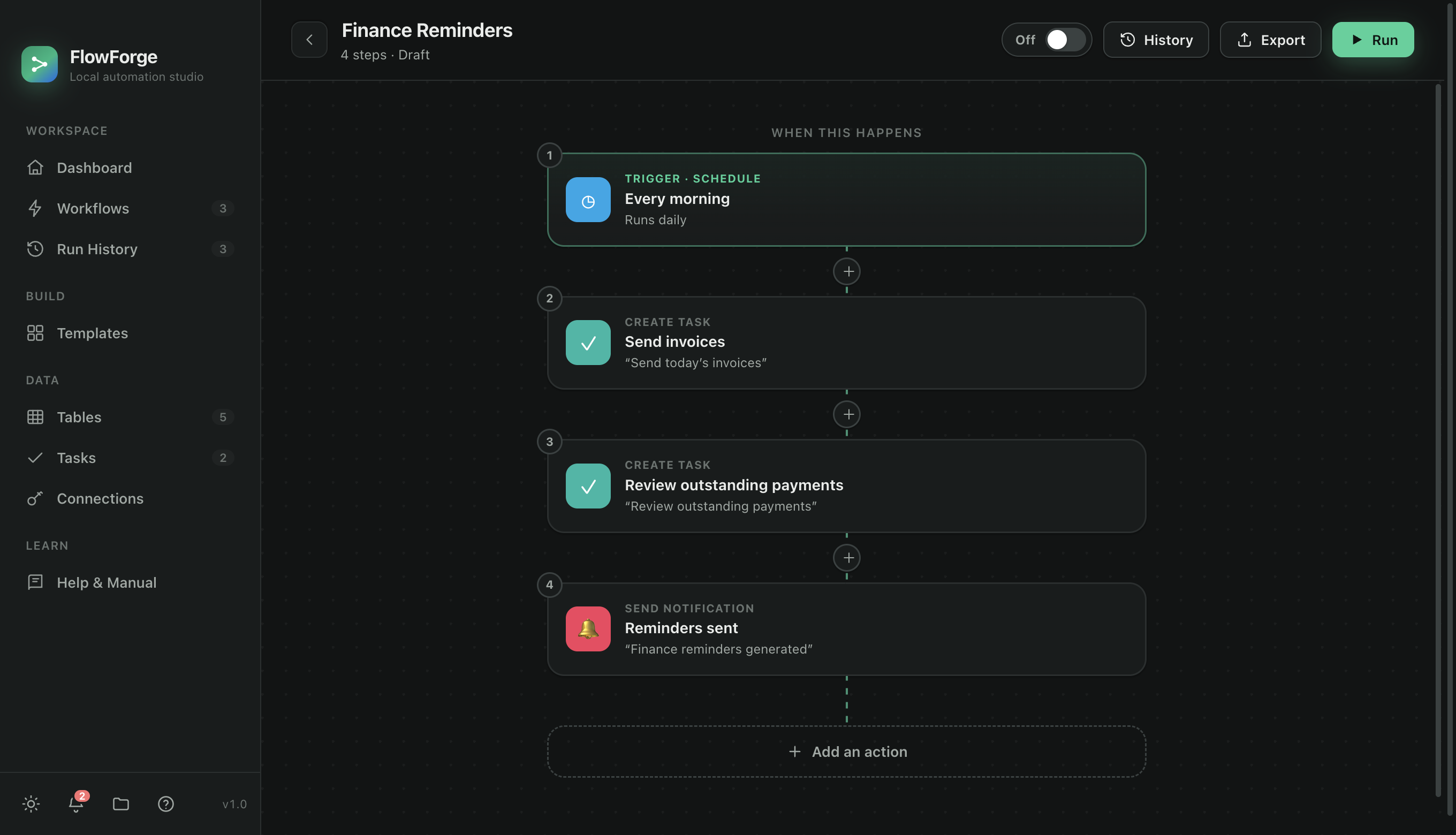
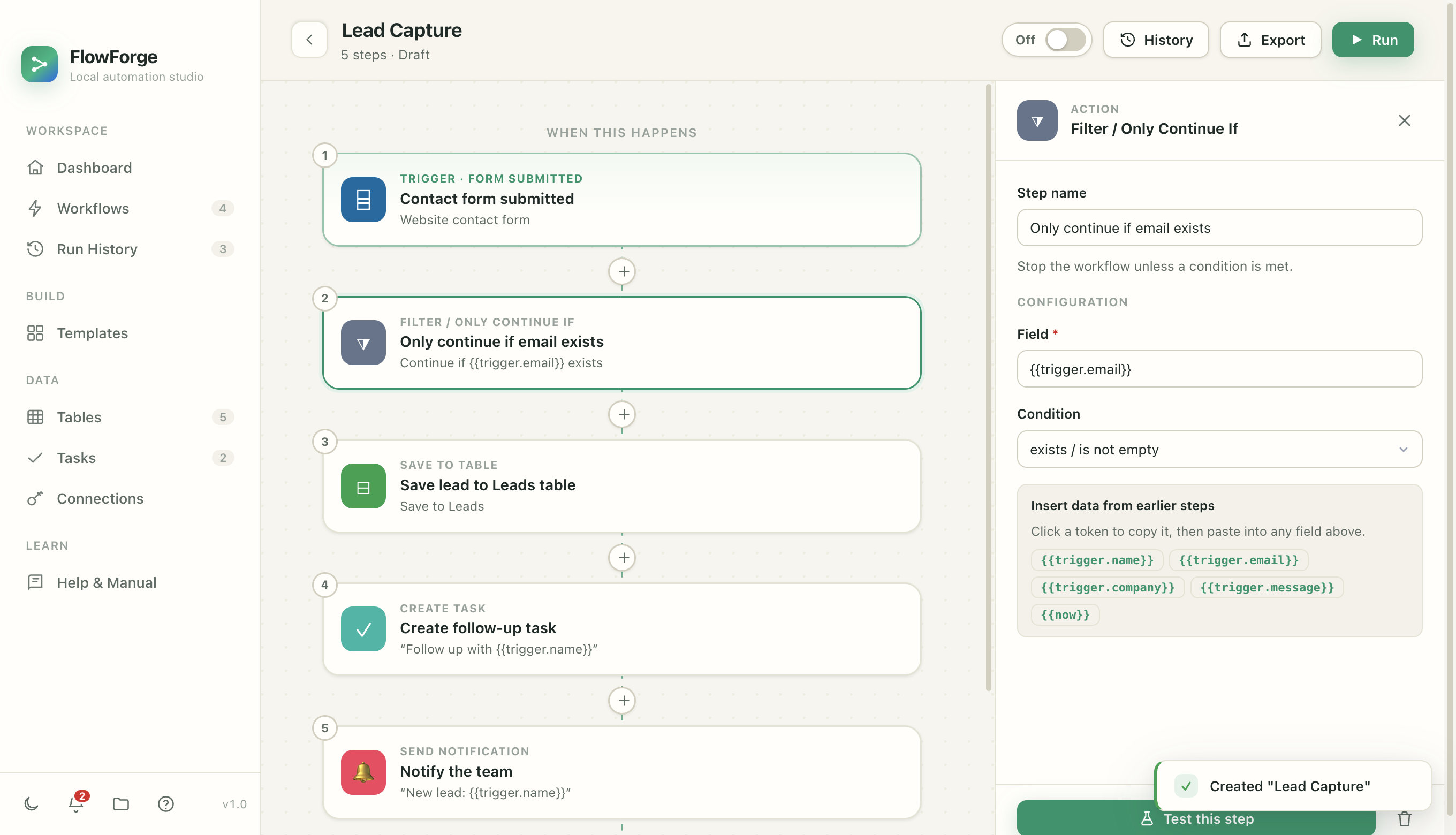
One trigger, a few actions, running top to bottom. You click the pieces together — no code required.
Choose what starts your automation — a schedule, an incoming email, a webhook, a new file in a folder, or a new row in a table.
Chain the steps that do the work — save data, send email, call an API, ask AI to classify or draft, notify you, or wait for your approval.
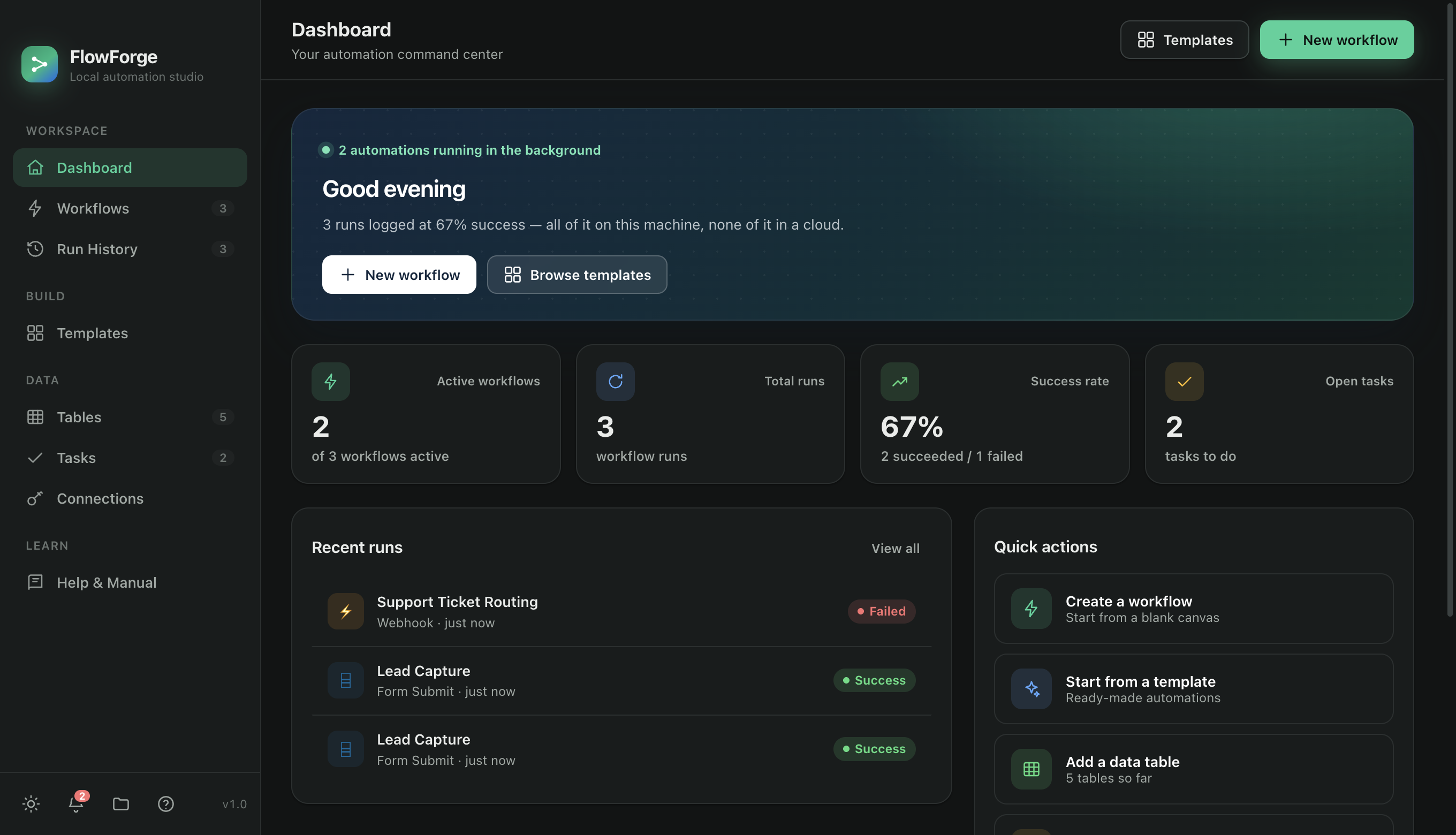
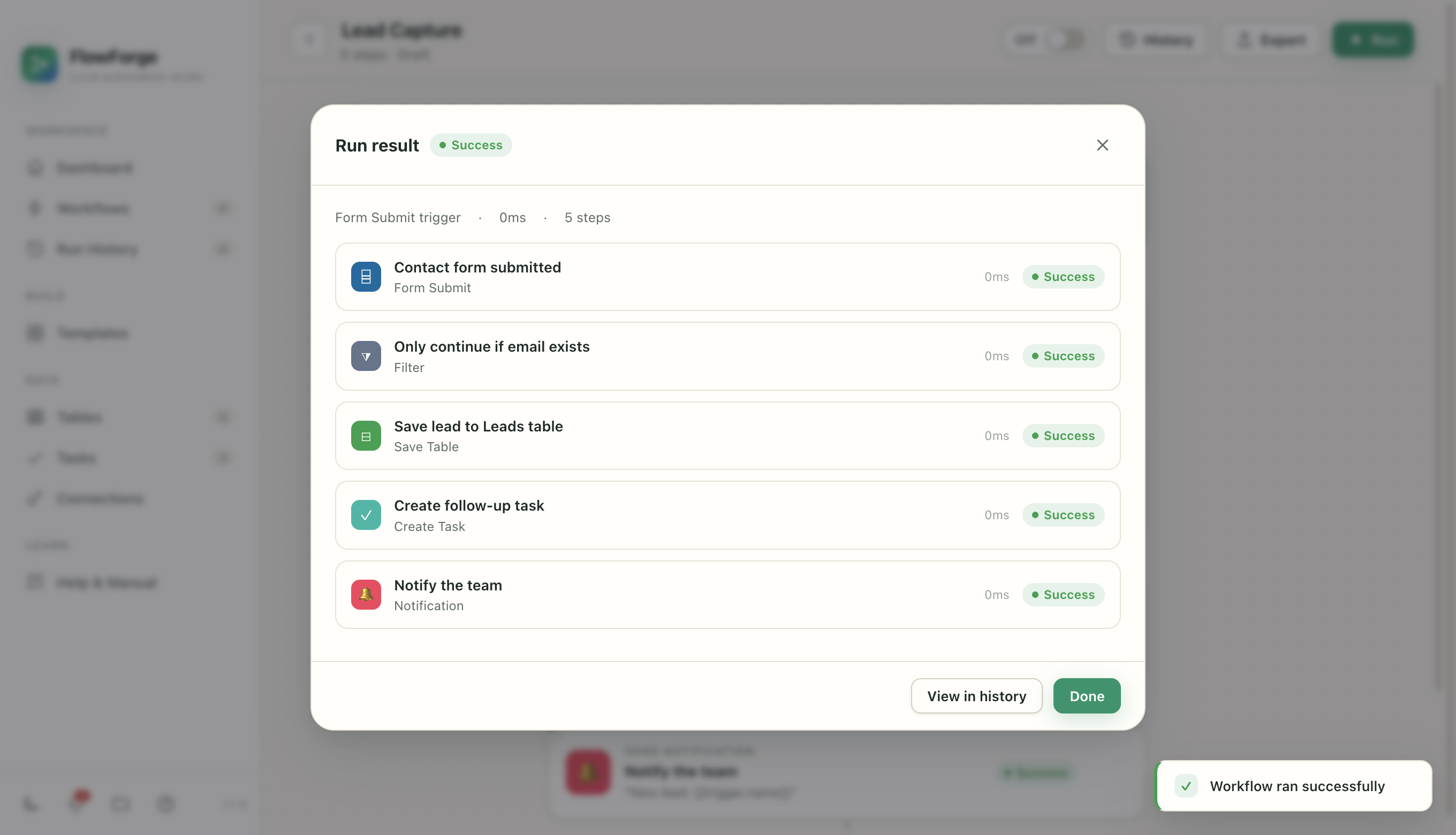
Flip the switch and FlowForge runs it in the background — even with the window closed. Every run is logged, step by step.
FlowForge ships a full toolkit of building blocks that actually run — not a simulation.
Schedules, incoming email (IMAP), webhooks, folder watchers, and new-record events. Turn a workflow on and it runs on its own.
Real HTTP requests, local data tables, tasks, notifications, and send-email — plus Slack, Discord, Telegram, and GitHub out of the box.
Classify, extract, or draft with a local Ollama model that never leaves your machine — or connect your own Claude key.
If/else conditions, for-each loops, and filters let you build logic that adapts to each run — not just a straight line of steps.
Add a “Wait for Approval” step and risky runs pause until you say go — surviving app restarts while they wait for you.
Every change is snapshotted and every credential use is recorded in a tamper-evident log. Roll back any workflow in one click.
No black box. Every run records each step's status, timing, inputs, outputs, and logs — so when something matters, you can see precisely what happened.
FlowForge fits the way real work happens — not a rigid template of someone else's process.
Wear fewer hats. Let FlowForge handle the repetitive glue between your tools.
Standardize the busywork across clients without paying per task.
A local automation runtime with real HTTP, code steps, and MCP tools.
If you do it more than twice a week, it probably belongs in a workflow.
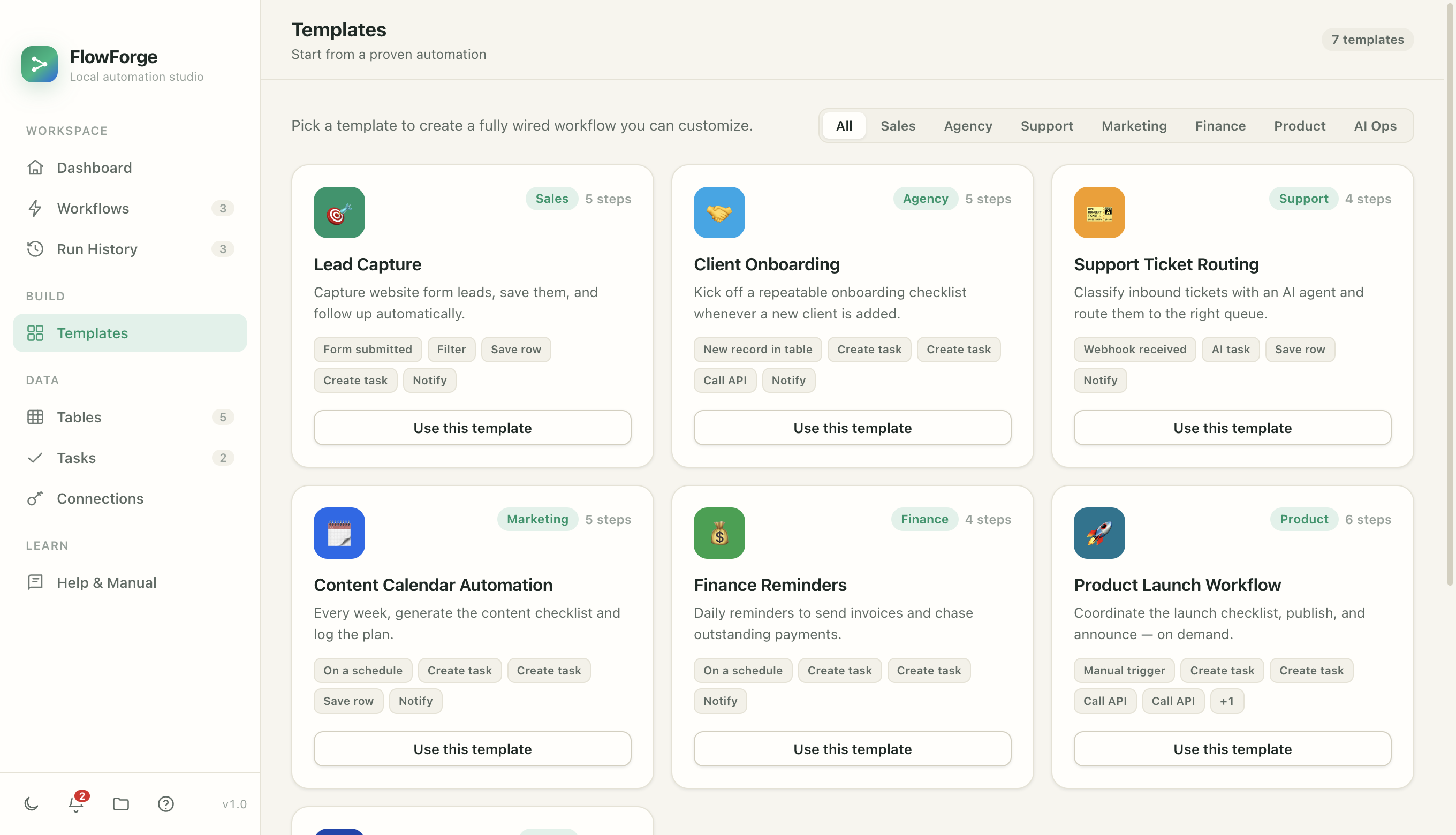
Pick a fully wired workflow and customize it — or describe what you want and let the AI copilot build it for you.
Classify every support email with AI, auto-acknowledge the sender, log it, and ping you only when it's urgent.
Capture website form leads, save them locally, and create the first follow-up task automatically.
Classify inbound tickets with an AI agent and route them to the right queue with a notification.
Kick off a repeatable onboarding checklist automatically whenever a new client is added.
Daily reminders to send invoices and chase outstanding payments before they slip.
Every week, generate the content checklist and log the plan so nothing falls through.
Every other automation tool ships your credentials and data to their cloud. FlowForge doesn't — because it doesn't have one.
API keys and tokens are encrypted with your Mac's Keychain and never cross back to the interface, exports, or logs.
Workflows execute in-process on your machine. Nothing you build phones home, and the app keeps working with no internet at all.
Every credential use is written to a hash-chained log you can verify. A safety analyzer even warns you before a workflow could leak data.
Add an AI step to classify, extract, summarize, or draft — powered by a local Ollama model, so nothing you type ever leaves your Mac. Prefer a hosted model? Connect your own Claude key.
Unlike cloud tools, you're never billed by how much you automate. Start with a 14-day free trial — card required, cancel anytime before it ends and you're not charged.
For individuals automating their own work.
For power users who want every capability.
Share workflows across a small team.
Yes. FlowForge runs entirely in the app on your Mac. Your workflows, data, and credentials stay on your device — secrets are encrypted with the macOS Keychain and never leave the main process. The only things that ever touch the network are the specific services you choose to connect (like an email server or an AI API you point it at).
FlowForge is signed and notarised by Apple, so it opens like any other Mac app — no security warnings, no System Settings detour.
Completely. Because there's no cloud to check in with, FlowForge keeps running with no internet. Steps that reach the internet (an API call, sending an email) will wait for a connection, but everything local keeps working.
No. You click triggers and actions together, and type plain-language instructions for the AI steps. There's an optional sandboxed code step for developers who want it, but it's never required.
Out of the box: any HTTP API, email (IMAP in, SMTP out), Slack, Discord, Telegram, GitHub, plus local AI via Ollama (or your own Claude key), and any tool exposed over MCP. New connectors are added regularly.
At the end of the 14-day trial your subscription starts automatically and the first payment is taken — FlowForge keeps running with nothing for you to do. Cancel before day 15 and you are not charged.
If you cancel, FlowForge stops running automations until you activate a licence key again. That applies to everything — manual runs, schedules, background triggers and AI-agent calls. A paid subscription is required to keep using the app; there is no limited free tier.
Nothing is deleted and nothing is uploaded. Your workflows, credentials and history are yours and stay on your Mac, so subscribing later resumes exactly where you left off. See how the trial works.
Today, yes — FlowForge is a native macOS app (macOS 12 and later). A Windows version is on the roadmap.
FlowForge checks for updates and lets you download new versions directly. Because it's a desktop app you own, you're never forced onto a change you didn't ask for.
Yes. FlowForge can expose your workflows as tools over MCP, so assistants like Claude Desktop or Cursor — or your own agents — can list and run them, with your approvals and history fully intact.
Download FlowForge, pick a template, and watch it run — privately, on your own Mac.
14-day free trial · card required · cancel anytime · works offline · macOS 12+ or Windows 10+ · See pricing