New:  Email trigger — watch any inbox, locally

Automate the busywork.
Entirely on your Mac.

FlowForge connects your apps, data, and AI into workflows that run privately on your machine — no accounts, no per-task billing, no data leaving your device.

14-day free trial · no account · works offline · macOS 12+

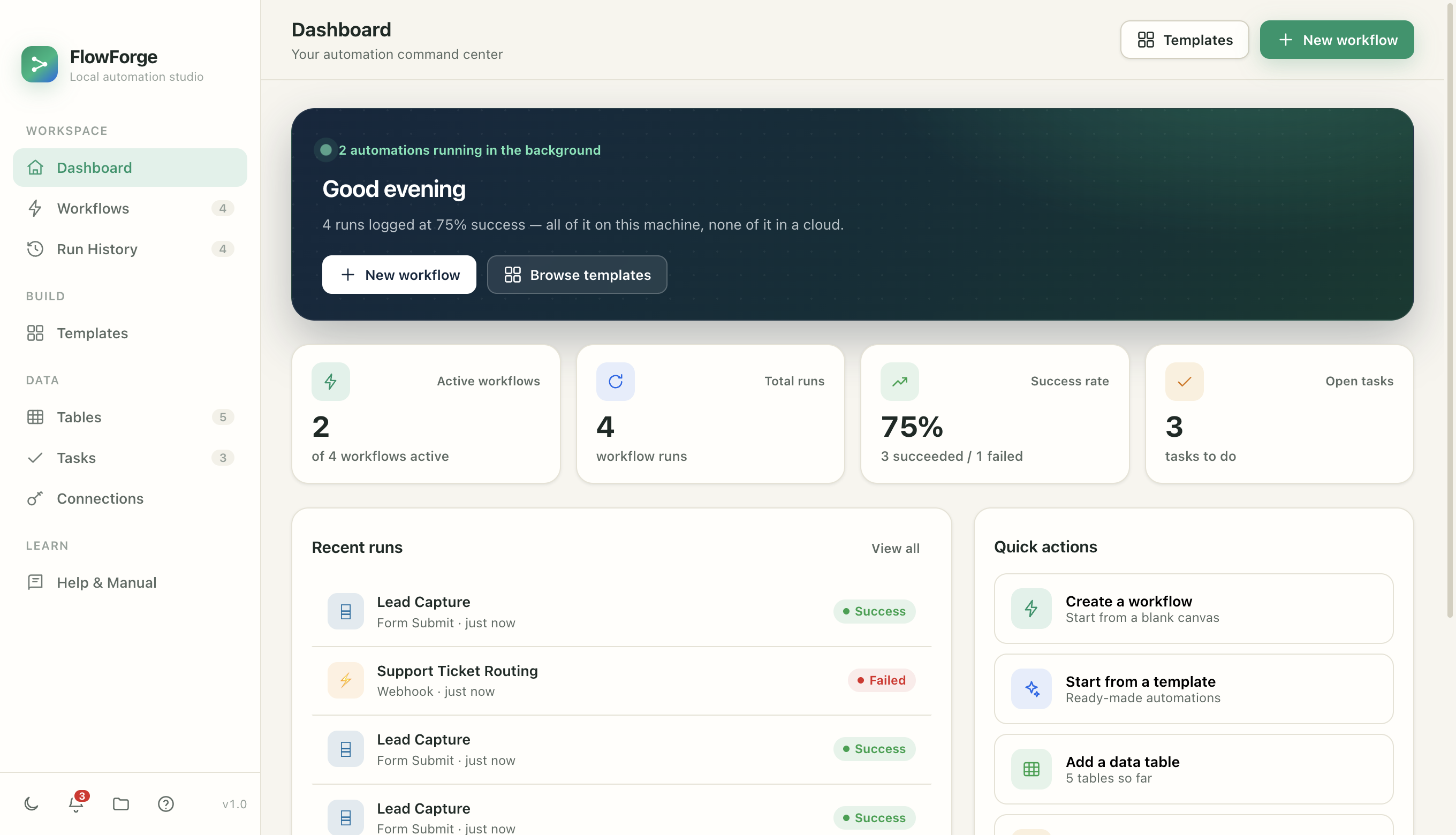
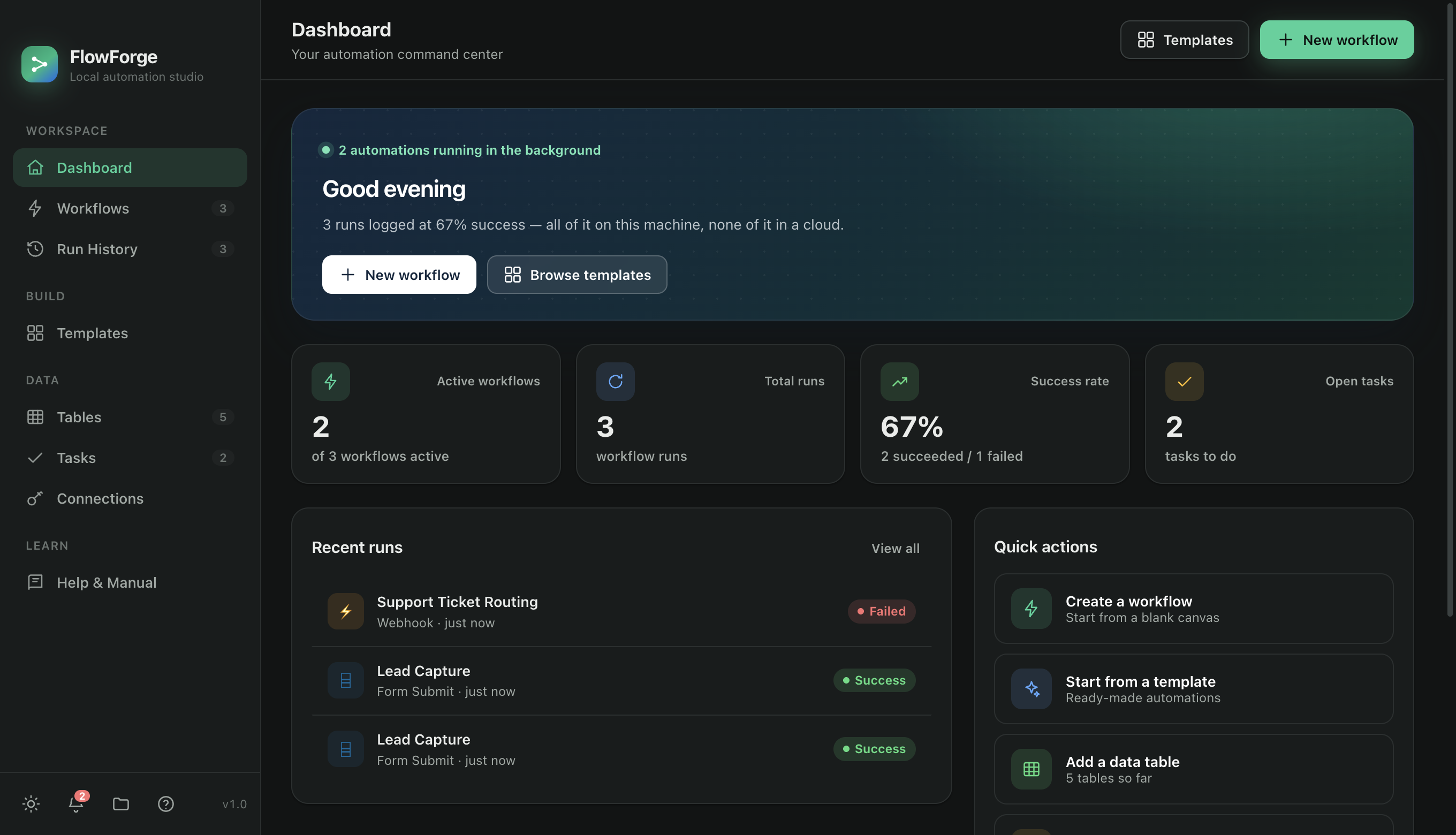
FlowForge — Dashboard
FlowForge dashboard showing active workflows, run history, and stats FlowForge dashboard in dark mode showing active workflows, run history, and stats
Live status console
Success at a glance
Every run, logged locally
Runs on your MacNot a server you don't control
Keys never leaveEncrypted in your Keychain
No account requiredNothing to sign up for
Works offlineNo connection needed to run
How it works

A workflow is just a recipe

One trigger, a few actions, running top to bottom. You click the pieces together — no code required.

1

Pick a trigger

Choose what starts your automation — a schedule, an incoming email, a webhook, a new file in a folder, or a new row in a table.

2

Add actions

Chain the steps that do the work — save data, send email, call an API, ask AI to classify or draft, notify you, or wait for your approval.

3

Turn it on

Flip the switch and FlowForge runs it in the background — even with the window closed. Every run is logged, step by step.

When this happens
an email arrives
Do these things
classify · save · notify
Done — on its own
while you sleep
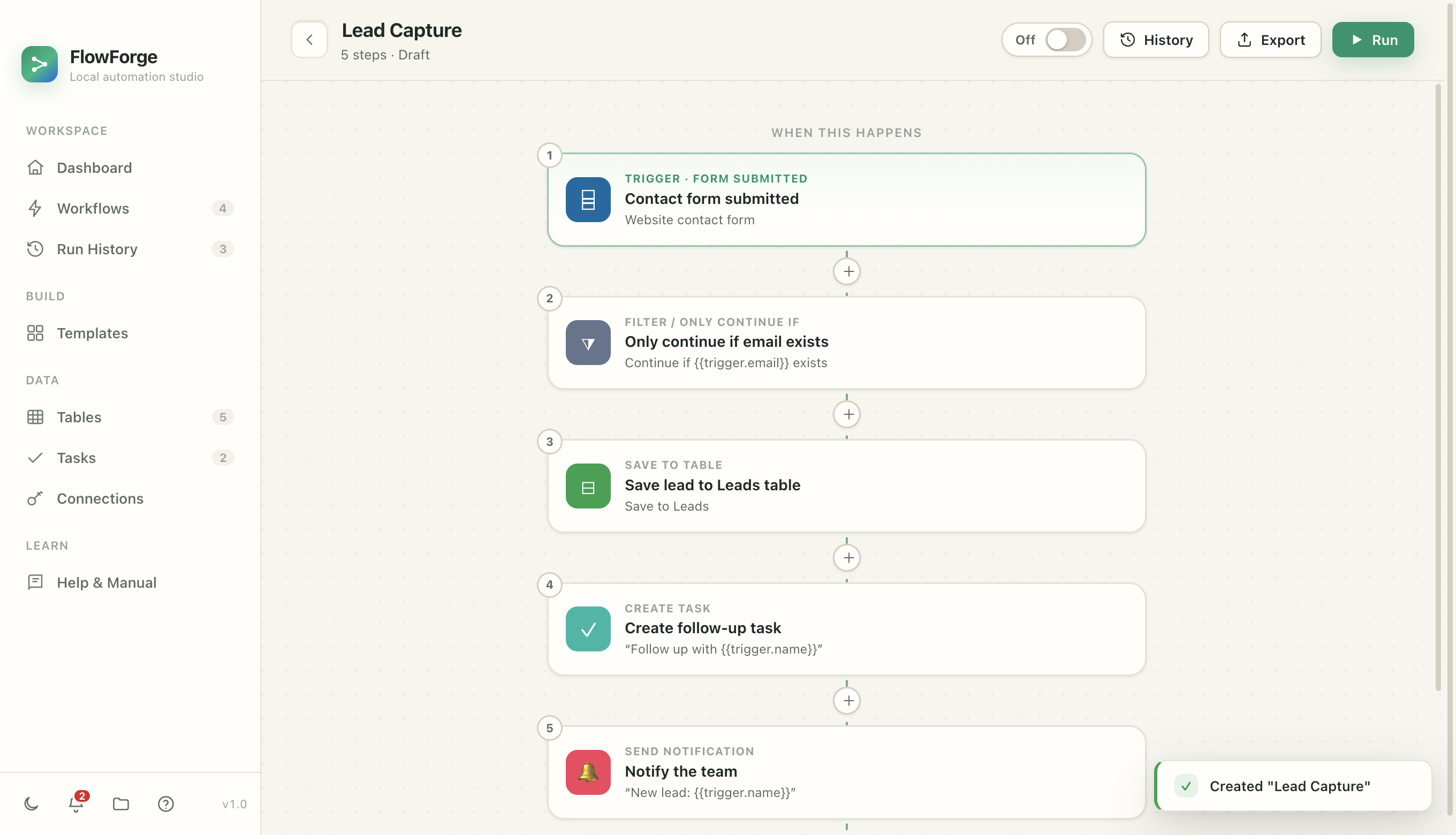
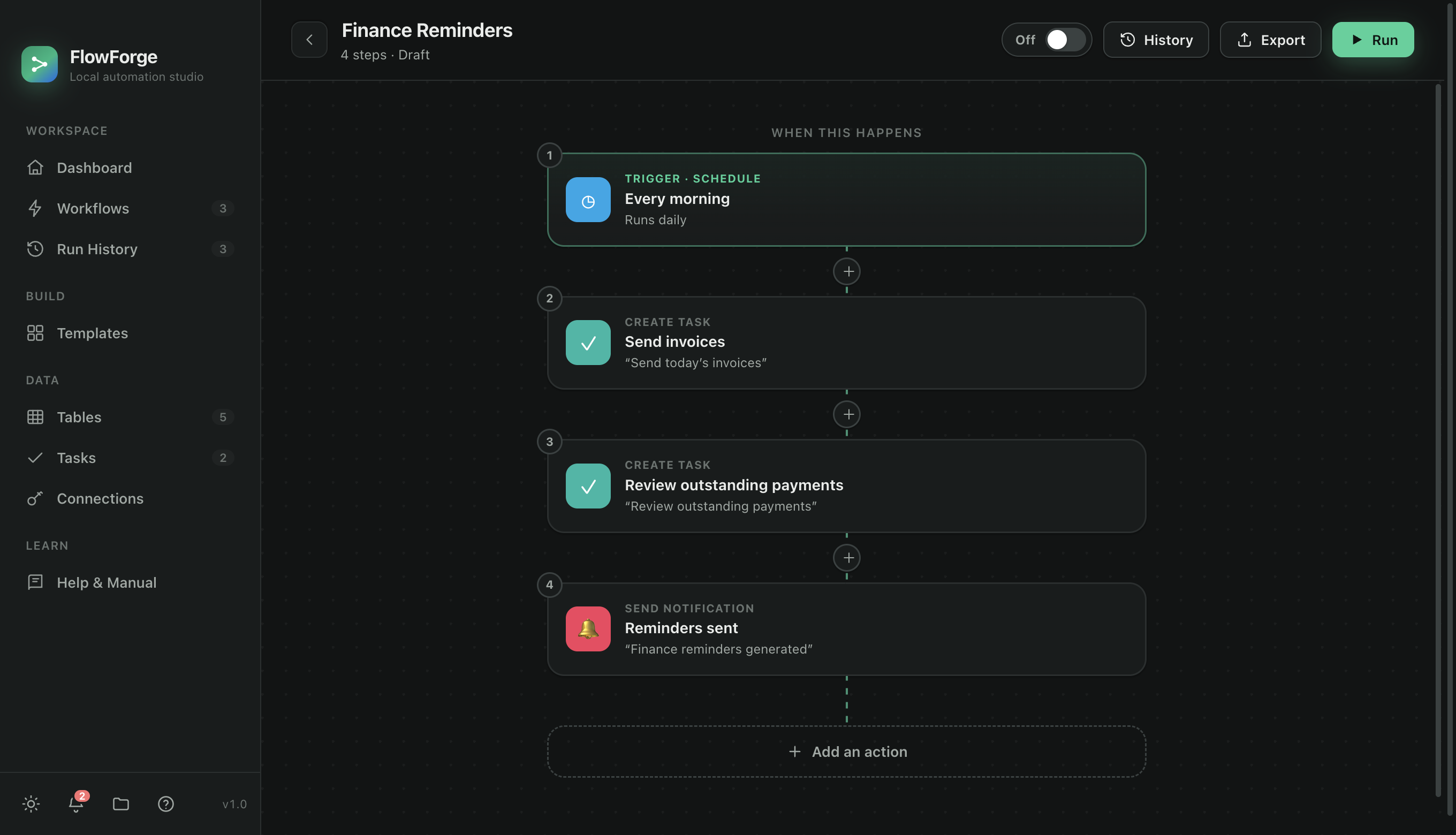
FlowForge — Workflow editor
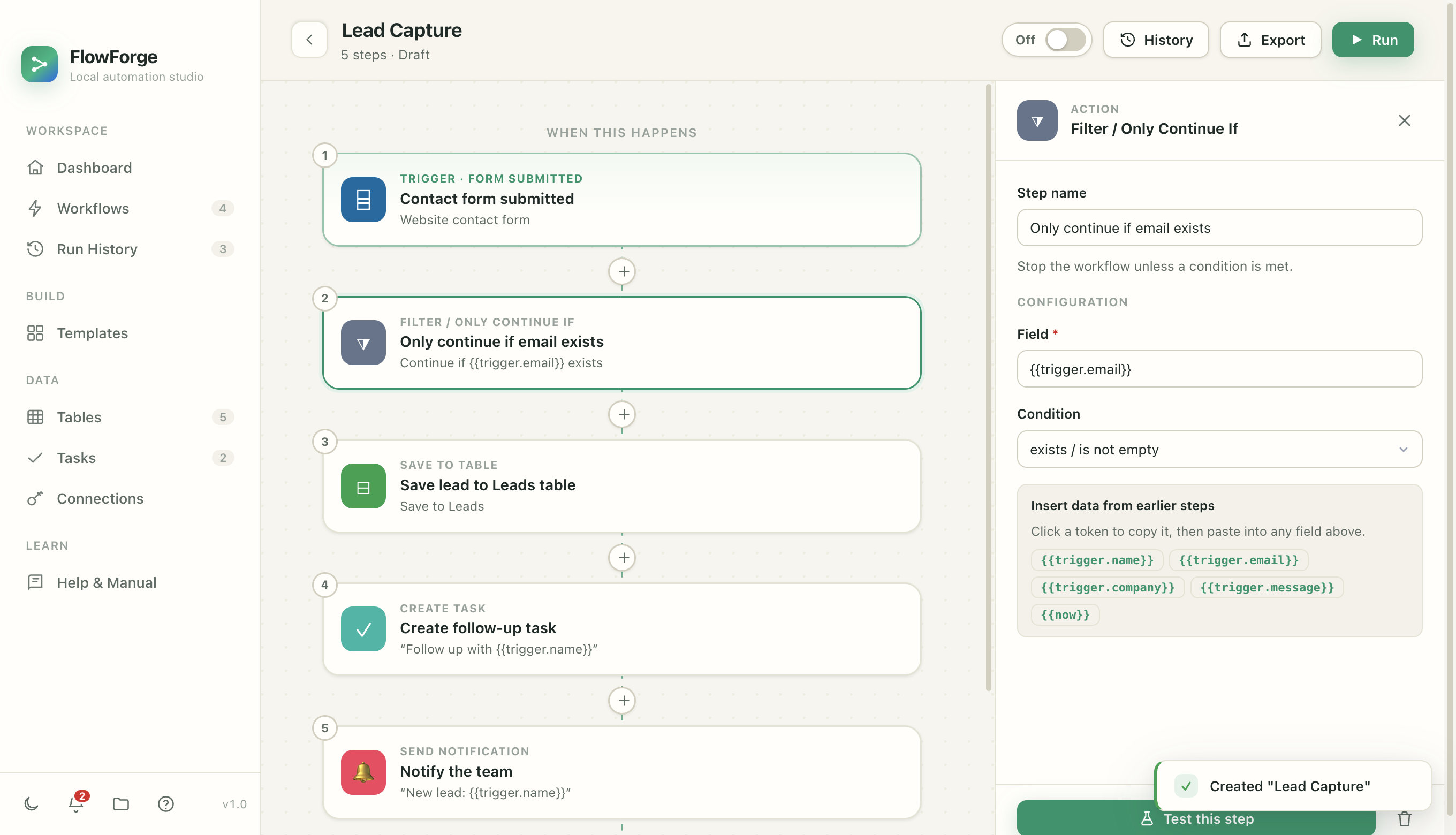
The FlowForge workflow editor showing a trigger followed by filter, save, task, and notify steps The FlowForge workflow editor in dark mode showing a trigger followed by filter, save, task, and notify steps
Your trigger
Configure any step
0
Trigger types
0
Actions & connectors
0
Ready-made templates
0
Runs on your Mac
Everything you need

Real triggers. Real actions. No fake demos.

FlowForge ships a full toolkit of building blocks that actually run — not a simulation.

Triggers that fire themselves

Schedules, incoming email (IMAP), webhooks, folder watchers, and new-record events. Turn a workflow on and it runs on its own.

Actions that get things done

Real HTTP requests, local data tables, tasks, notifications, and send-email — plus Slack, Discord, Telegram, and GitHub out of the box.

Built-in AI, your way

Classify, extract, or draft with a local Ollama model that never leaves your machine — or connect your own Claude key.

Branches & loops

If/else conditions, for-each loops, and filters let you build logic that adapts to each run — not just a straight line of steps.

Human approvals

Add a “Wait for Approval” step and risky runs pause until you say go — surviving app restarts while they wait for you.

Versioning & audit

Every change is snapshotted and every credential use is recorded in a tamper-evident log. Roll back any workflow in one click.

FlowForge — Run detail
A run detail view showing each step, its status, duration, input and output
Total transparency

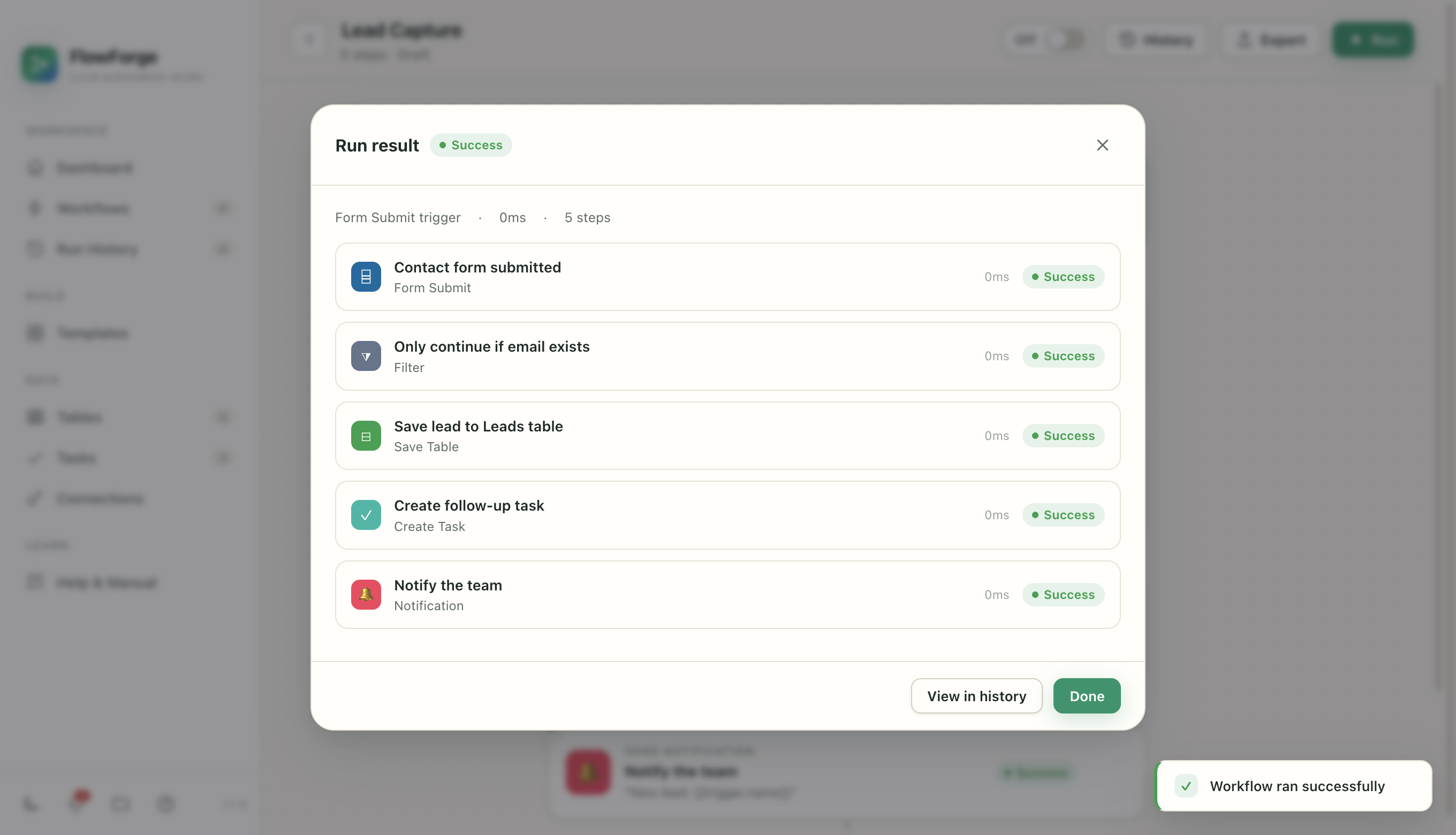
See exactly what ran, every time

No black box. Every run records each step's status, timing, inputs, outputs, and logs — so when something matters, you can see precisely what happened.

  • Step-by-step logs for every run, kept locally.
  • Retry from where it stopped — failed runs resume, they don't restart.
  • Fix-with-AI reads the failure and proposes the correction.
Built for serious operators

Whatever you keep doing by hand, automate it

FlowForge fits the way real work happens — not a rigid template of someone else's process.

🚀

Founders

Wear fewer hats. Let FlowForge handle the repetitive glue between your tools.

  • Triage the support inbox
  • Capture & route new leads
  • Daily digests & reminders
📊

Ops & agencies

Standardize the busywork across clients without paying per task.

  • Client onboarding checklists
  • Invoice & payment chasers
  • Report generation

Developers

A local automation runtime with real HTTP, code steps, and MCP tools.

  • Call any API, SSRF-guarded
  • Run sandboxed JavaScript
  • Drive it from AI agents
🗂️

Anyone drowning in tabs

If you do it more than twice a week, it probably belongs in a workflow.

  • Watch a folder, process files
  • Sort & save incoming email
  • Nudge yourself on a schedule
Start in one click

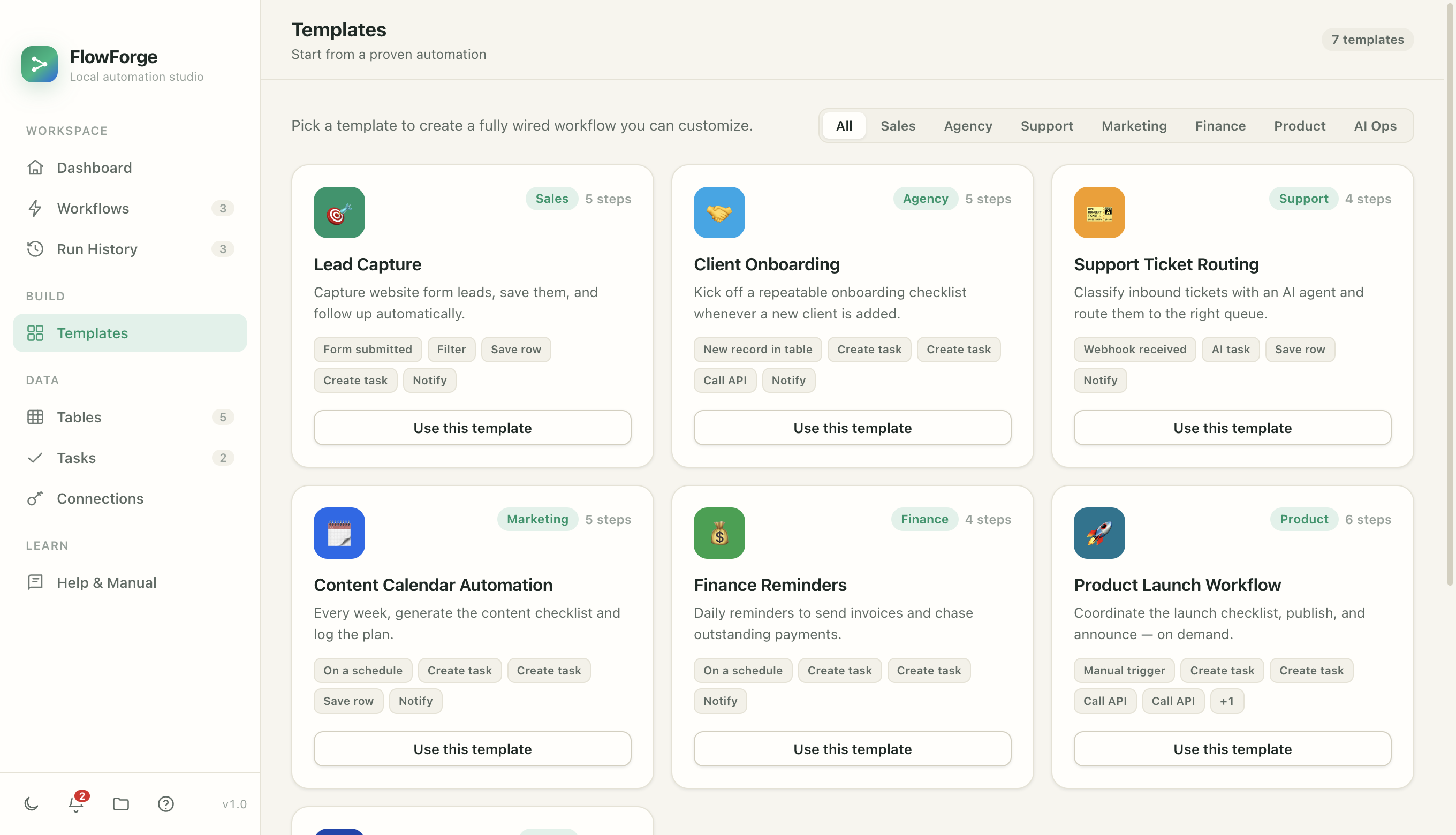
Proven templates, ready to run

Pick a fully wired workflow and customize it — or describe what you want and let the AI copilot build it for you.

📨
Support

Support Inbox Triage

Classify every support email with AI, auto-acknowledge the sender, log it, and ping you only when it's urgent.

EmailAI taskSend emailSave row+2
🎯
Sales

Lead Capture

Capture website form leads, save them locally, and create the first follow-up task automatically.

FormFilterSave rowCreate task
🎫
Support

Support Ticket Routing

Classify inbound tickets with an AI agent and route them to the right queue with a notification.

WebhookAI taskSave rowNotify
🤝
Agency

Client Onboarding

Kick off a repeatable onboarding checklist automatically whenever a new client is added.

New recordCreate taskCall APINotify
💰
Finance

Finance Reminders

Daily reminders to send invoices and chase outstanding payments before they slip.

ScheduleCreate taskNotify
📅
Marketing

Content Calendar

Every week, generate the content checklist and log the plan so nothing falls through.

ScheduleCreate taskSave row
FlowForge — Templates
The FlowForge template gallery
Local-first by design

Your data was never meant to live on someone else's server

Every other automation tool ships your credentials and data to their cloud. FlowForge doesn't — because it doesn't have one.

Encrypted credential vault

API keys and tokens are encrypted with your Mac's Keychain and never cross back to the interface, exports, or logs.

No cloud middleman

Workflows execute in-process on your machine. Nothing you build phones home, and the app keeps working with no internet at all.

Tamper-evident audit log

Every credential use is written to a hash-chained log you can verify. A safety analyzer even warns you before a workflow could leak data.

AI, on your terms

Bring AI into your work — fully local

Add an AI step to classify, extract, summarize, or draft — powered by a local Ollama model, so nothing you type ever leaves your Mac. Prefer a hosted model? Connect your own Claude key.

  • Describe it, build it. Tell the copilot what you want and it drafts the whole workflow.
  • Structured outputs become tokens later steps can use directly.
  • Your workflows as AI tools. Connect Claude Desktop, Cursor, or any MCP agent and run them from your assistant.
FlowForge — AI step
Configuring an AI step in FlowForge
Simple, honest pricing

One flat subscription. No per-task meter.

Unlike cloud tools, you're never billed by how much you automate. Start with a 14-day free trial — no card required.

Personal

For individuals automating their own work.

$8/ month
billed annually · or $10 monthly
Start free trial
  • Unlimited workflows & runs
  • All triggers & actions
  • Local AI (Ollama)

Team

Share workflows across a small team.

$14/ user / mo
billed annually
Contact us
  • Everything in Pro
  • Shared template library
  • Onboarding & priority support
Questions

Good questions, honest answers

Is my data really private?

Yes. FlowForge runs entirely in the app on your Mac. Your workflows, data, and credentials stay on your device — secrets are encrypted with the macOS Keychain and never leave the main process. The only things that ever touch the network are the specific services you choose to connect (like an email server or an AI API you point it at).

Does it work offline?

Completely. Because there's no cloud to check in with, FlowForge keeps running with no internet. Steps that reach the internet (an API call, sending an email) will wait for a connection, but everything local keeps working.

Do I need to know how to code?

No. You click triggers and actions together, and type plain-language instructions for the AI steps. There's an optional sandboxed code step for developers who want it, but it's never required.

Which apps can it connect to?

Out of the box: any HTTP API, email (IMAP in, SMTP out), Slack, Discord, Telegram, GitHub, plus local AI via Ollama (or your own Claude key), and any tool exposed over MCP. New connectors are added regularly.

What happens when my subscription ends?

Your workflows and data are always yours and stay on your Mac. An active subscription is what keeps automations running and unlocks updates and support. You can start with a 14-day free trial, no card required.

Is it Mac only?

Today, yes — FlowForge is a native macOS app (macOS 12 and later). A Windows version is on the roadmap.

How do updates work?

FlowForge checks for updates and lets you download new versions directly. Because it's a desktop app you own, you're never forced onto a change you didn't ask for.

Can AI assistants use my workflows?

Yes. FlowForge can expose your workflows as tools over MCP, so assistants like Claude Desktop or Cursor — or your own agents — can list and run them, with your approvals and history fully intact.

Start automating in the next five minutes

Download FlowForge, pick a template, and watch it run — privately, on your own Mac.

14-day free trial · no account · works offline · macOS 12+